A Blueprint node’s tooltip shows the function comment only up to the first @param. Parameter descriptions, return value documentation, warnings attached to one specific argument: everything below that point ends up on the individual pin tooltips. Nobody checks those tooltips until they already know what they’re looking for.
It comes down to how the tooltip generator splits the comment. That behavior affects every BlueprintCallable node, in the engine and in every plugin.
The symptom: nine pins, a two-sentence tooltip
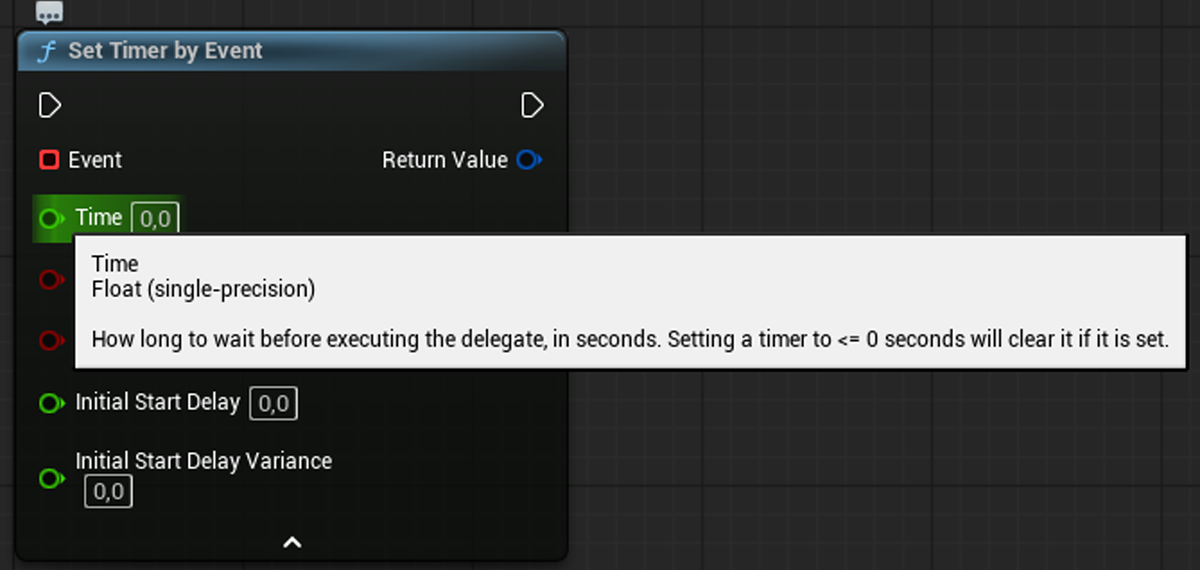
Set Timer by Event is the textbook case. The function comment warns that a time less than or equal to zero clears the timer instead of setting it (Engine/Classes/Kismet/KismetSystemLibrary.h:723):
/**
 * Set a timer to execute delegate. Setting an existing timer will reset that timer with updated parameters.
 * @param Event   Event. Can be a K2 function or a Custom Event.
 * @param Time    How long to wait before executing the delegate, in seconds.
 *                Setting a timer to <= 0 seconds will clear it if it is set.
 * ...
 */
The node tooltip itself reads, in full:
Set a timer to execute delegate. Setting an existing timer will reset that timer with updated parameters.
Target is Kismet System Library
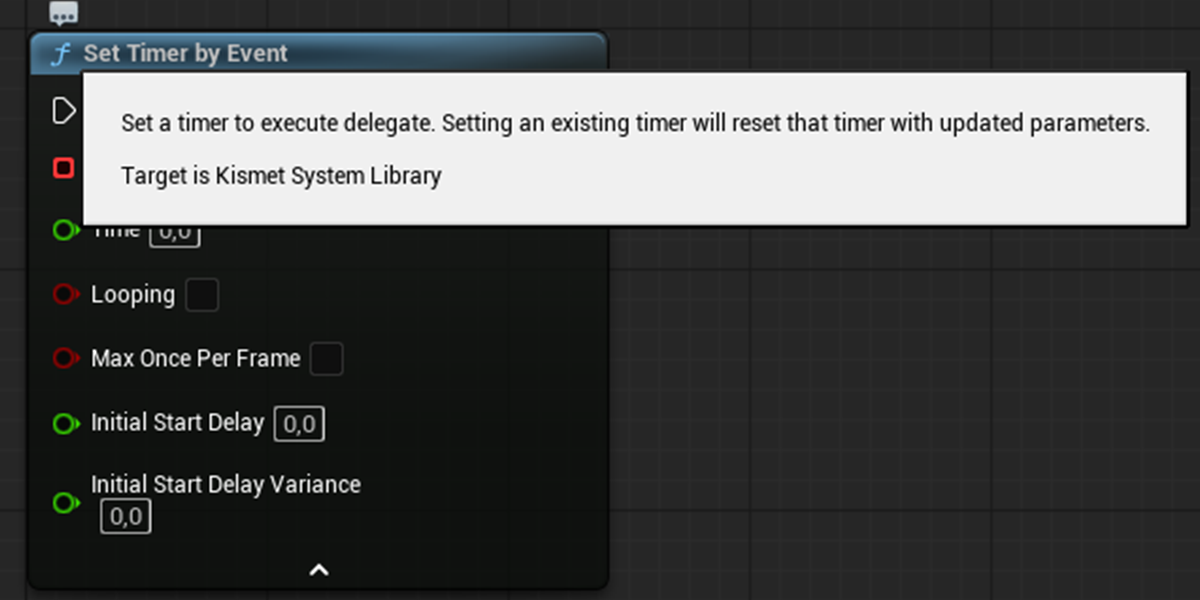
The sentence about <= 0 shows up when you hover the Time pin, and nowhere else:
I wrote up the consequences of this particular case separately in Set Timer by Event with Time = 0.0 never fires. What interests me here is the mechanism, because it affects far more than just this one node.
The cause: Split with nullptr on the right
The node tooltip comes from ObjectTools::GetDefaultTooltipForFunction (Editor/UnrealEd/Private/ObjectTools.cpp:5396), and the whole decision fits in two calls:
// Strip off the doxygen nastiness
static const FString DoxygenParam(TEXT("@param"));
static const FString DoxygenReturn(TEXT("@return"));

Tooltip.Split(DoxygenParam, &Tooltip, nullptr, ESearchCase::IgnoreCase, ESearchDir::FromStart);
Tooltip.Split(DoxygenReturn, &Tooltip, nullptr, ESearchCase::IgnoreCase, ESearchDir::FromStart);
Split with the result written back to LeftString and nullptr in place of RightString truncates the text at the first match. The right-hand side is computed and thrown away. The comment “strip off the doxygen nastiness” describes the intent precisely: the Doxygen tags were treated as noise and removed together with the content they describe.
Everything else follows from that one decision. Parameter descriptions take a separate route to the individual pin tooltips (ObjectTools.cpp:5452), and @see and @note survive the cut and render as See: and Note:, but only when they appear above the first @param.
What to do about it
Reading someone else’s nodes: if a node tooltip looks suspiciously thin for the number of pins, the documentation is most likely on the pins. Hovering a pin takes a second and routinely reveals information that was missing from the node tooltip.
Exposing your own API to Blueprints (which covers every plugin with UFUNCTION(BlueprintCallable)):
@param: edge cases, values that invalidate the call, initialization order requirements. A sentence attached to a parameter is technically correct documentation and effectively invisible: the user will not see it until they start hunting for the cause of a bug, which is one step too late.@note placed above the parameter list renders as Note:. That is the simplest way to make such a warning stand out while keeping the comment compatible with Doxygen.When this matters
On a node with two pins, not much. The whole description fits in the opening sentence anyway.
The stakes rise with the number of parameters, and with the number of values that are technically valid but mean something other than what the user assumes: zero for “cancel,” a negative value for “no limit,” an empty name for “use the default.” That kind of knowledge belongs next to the parameter by definition — and the text next to the parameter is exactly what the node tooltip will not show.
There’s one more consequence for plugin authors: a user who falls into that trap despite a correctly written comment will file it as a documentation bug. The comment will be right where it belongs, and the report will still be justified.